Member
- Joined
- Oct 11, 2023
- Messages
- 105
- Thread Author
- #1
In this article, we will explain what the CORS policy is and what CORS is in general, as well as how it is useful for developers.

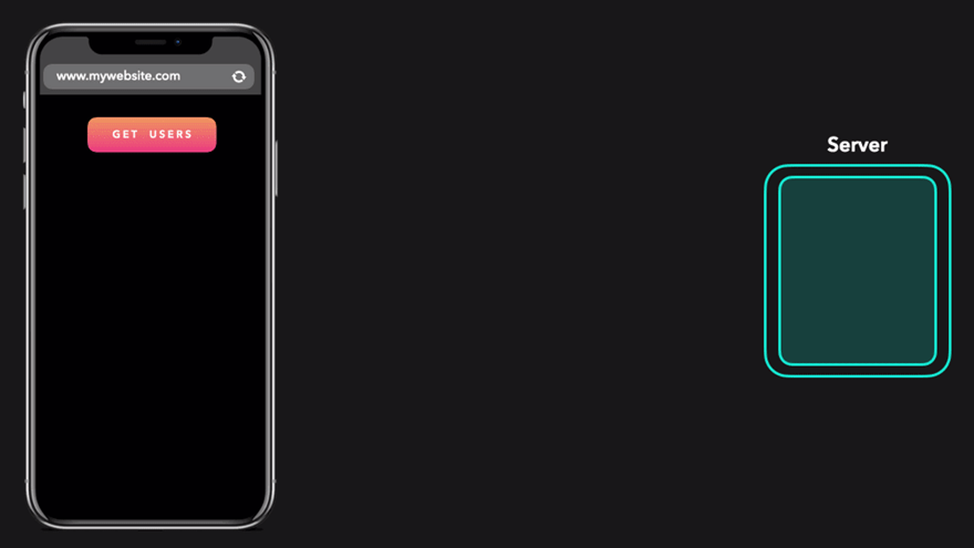
For modern web applications, downloading resources from multiple domains is a common practice. These resources are accessed using CORS technology. For example, if you need to get user information on your site "
What is CORS?
sharing resources between different sources – CORS (Cross-Origin Resource Sharin) is a mechanism that grants permissions to upload resources from one source to another, while maintaining the integrity of the site and protecting it from unauthorized access. Modern browsers use this to determine which cross-site requests are secure.
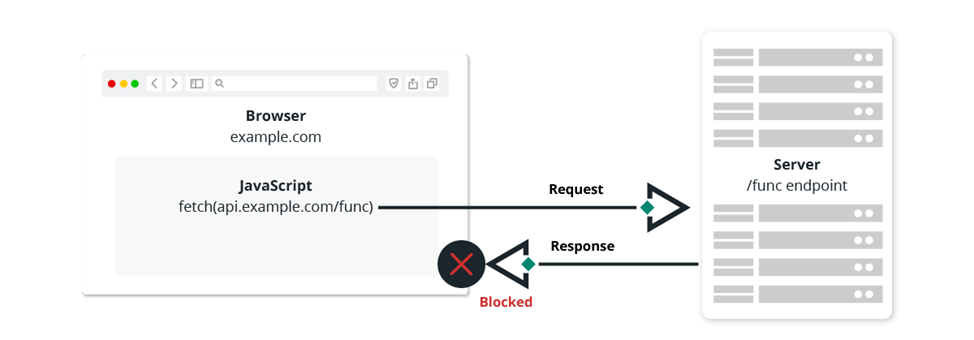
For security reasons, browsers restrict access from scripts to other resources that exist outside their domain, using the Same-Origin Policy. This policy protects against identity theft from other web servers or Cross-Site Request Forgery (CSRF) attacks.
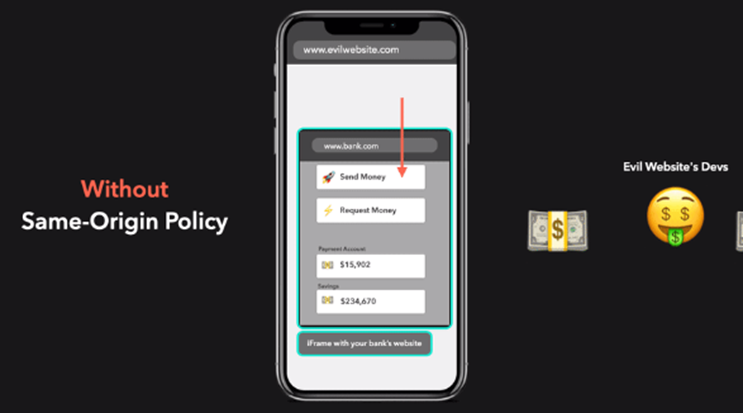
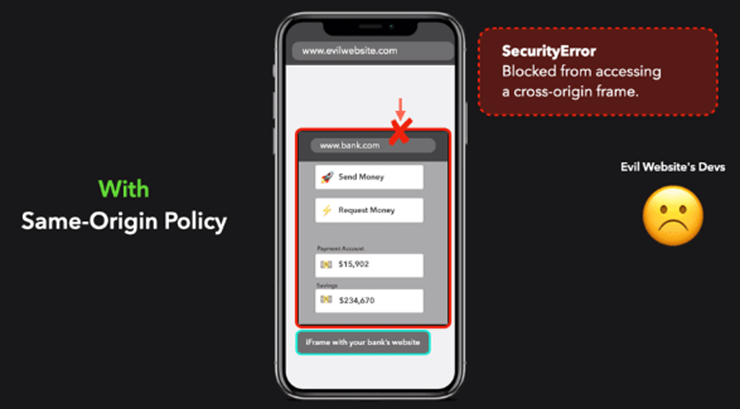
In this case, one source, the attacker's site, tries to access the resource from the source – the online banking site. The Same-Origin Policy blocks a cybercriminal from accessing your banking data.
However, domain restriction rules restrict specialists from accessing resources from different sources. This is why the CORS HTTP protocol was developed to tell the browser that limited resources on a web page can be requested from other domains.
For example, here is a possible scenario for requesting information from an external source, such as an API (common practice for client-side JavaScript code):
Why do ICORS?
If you want to use resources from a server other than your own, you will need to use CORS.
Some examples of what you can do with CORS include:
How does CORS work?
CORS starts when a script from one source sends a request to another source. All this is controlled by a pre-request that exchanges HTTP request headers and response headers, which are called "CORS headers".
Let's take a closer look at how preliminary queries work.
Preliminary request
A preflight request is an additional HTTP request using the "OPTIONS" method. The browser does this for every insecure request that is intended to modify data, such as POST, PUT, or DELETE requests.
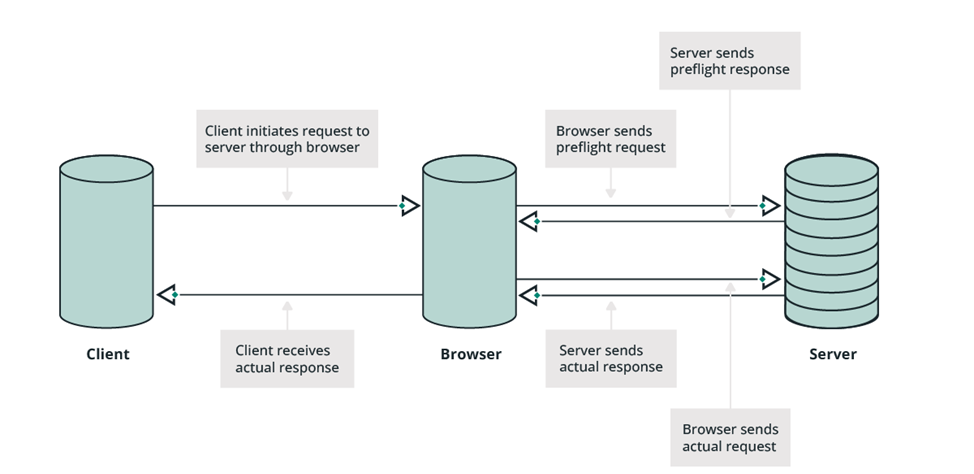
A pre-request is standard behavior for modern web browsers. The expected response from the app is a response containing CORS headers with the correct instructions.
Example of a preliminary request:
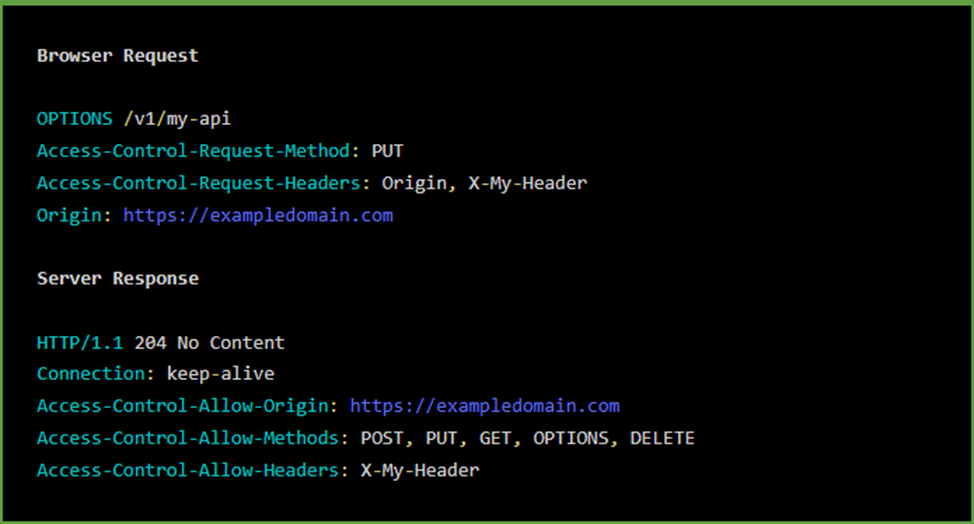
Here we see several specific HTTP headers. These are some of the most common CORS headers used in browser requests and server responses:
Access-Control-Allow-Origin
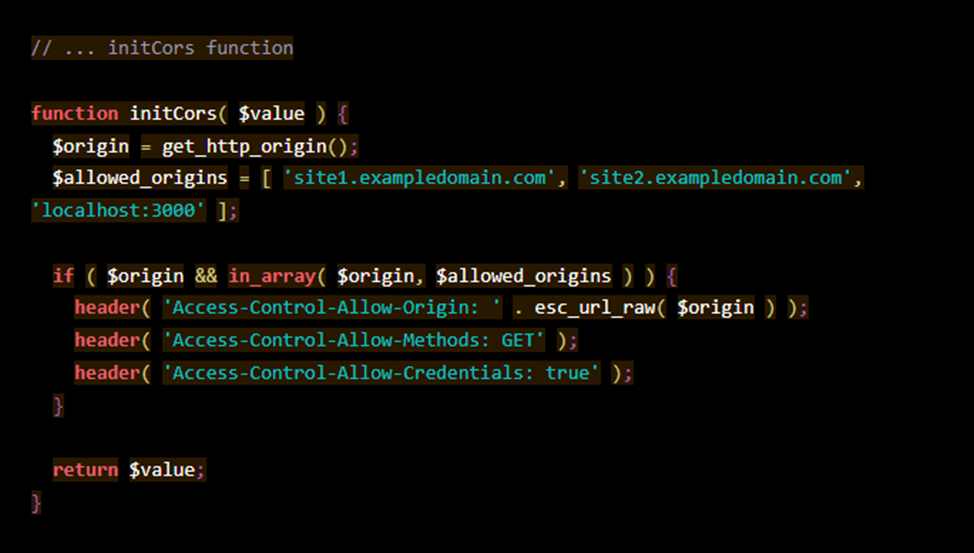
Imagine the following scenario: I want to allow an application hosted on
, access to the resource.
In this case, I need to specify the following:
Access-Control-Allow-Origin:
In addition, adding a custom Access-Control-Allow-Origin header to object stores such as AWS S3 or Google Storage will optimize throughput, optimize resource usage, and speed up data retrieval.
Access-Control-Allow-Origin can also be used if another site completely copies yours, which negatively affects your site's SEO. This way, your website content will not be displayed on the mirror site. But you can also file a DMCA Takedown Notice to remove your content from another site, because an attacker can bypass the Access-Control-Allow-Origin policy by using a proxy server.
Security issues with Access-Control-Allow-Origin
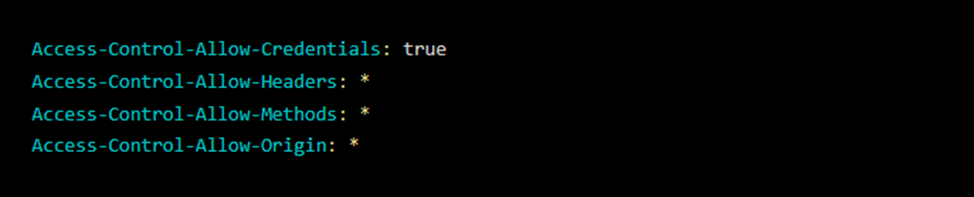
Quite often, you can find applications that use this notation for Access-Control-Allow-Origin:

For modern web applications, downloading resources from multiple domains is a common practice. These resources are accessed using CORS technology. For example, if you need to get user information on your site "
You do not have permission to view link
Log in or register now.
" from a server located on the site "api.website.com", you must send a request to the server and get a response in the form of JSON data.
What is CORS?
sharing resources between different sources – CORS (Cross-Origin Resource Sharin) is a mechanism that grants permissions to upload resources from one source to another, while maintaining the integrity of the site and protecting it from unauthorized access. Modern browsers use this to determine which cross-site requests are secure.
For security reasons, browsers restrict access from scripts to other resources that exist outside their domain, using the Same-Origin Policy. This policy protects against identity theft from other web servers or Cross-Site Request Forgery (CSRF) attacks.
In this case, one source, the attacker's site, tries to access the resource from the source – the online banking site. The Same-Origin Policy blocks a cybercriminal from accessing your banking data.
However, domain restriction rules restrict specialists from accessing resources from different sources. This is why the CORS HTTP protocol was developed to tell the browser that limited resources on a web page can be requested from other domains.
For example, here is a possible scenario for requesting information from an external source, such as an API (common practice for client-side JavaScript code):
- The resource source makes a preliminary request to an external web server using CORS headers;
- The external web server then checks this preliminary request to make sure that scripts are allowed to make the request.;
- After verification, the external web server responds with its own set of HTTP headers that define valid request methods, sources, and custom headers. The server response may also include information about whether it is acceptable to transmit credentials, such as authentication headers.
Why do ICORS?
If you want to use resources from a server other than your own, you will need to use CORS.
Some examples of what you can do with CORS include:
- Using web fonts or style sheets (Google Fonts or Typekit) from a remote domain;
- Specifying users ' location on the map via the Google Map API:
You do not have permission to view link Log in or register now. - Displaying tweets from the Twitter
API handle:
You do not have permission to view link Log in or register now. - Using a Headless CMS for Content management;
- Access to any API hosted on another domain or subdomain.
How does CORS work?
CORS starts when a script from one source sends a request to another source. All this is controlled by a pre-request that exchanges HTTP request headers and response headers, which are called "CORS headers".
Let's take a closer look at how preliminary queries work.
Preliminary request
A preflight request is an additional HTTP request using the "OPTIONS" method. The browser does this for every insecure request that is intended to modify data, such as POST, PUT, or DELETE requests.
A pre-request is standard behavior for modern web browsers. The expected response from the app is a response containing CORS headers with the correct instructions.
Example of a preliminary request:
Here we see several specific HTTP headers. These are some of the most common CORS headers used in browser requests and server responses:
- Access-Control-Allow-Origin
- Access-Control-Allow-Methods
- Access-Control-Allow-Headers
Access-Control-Allow-Origin
Imagine the following scenario: I want to allow an application hosted on
You do not have permission to view link
Log in or register now.
, access to the resource.
In this case, I need to specify the following:
Access-Control-Allow-Origin:
You do not have permission to view link
Log in or register now.
In addition, adding a custom Access-Control-Allow-Origin header to object stores such as AWS S3 or Google Storage will optimize throughput, optimize resource usage, and speed up data retrieval.
Access-Control-Allow-Origin can also be used if another site completely copies yours, which negatively affects your site's SEO. This way, your website content will not be displayed on the mirror site. But you can also file a DMCA Takedown Notice to remove your content from another site, because an attacker can bypass the Access-Control-Allow-Origin policy by using a proxy server.
Security issues with Access-Control-Allow-Origin
Quite often, you can find applications that use this notation for Access-Control-Allow-Origin: